PDF Decrypter Pro features
A lightweight, stand-alone tool that removes the owner password and restores printing, editing, and copying on PDF files you own or are authorized to modify.
Core capabilities
Remove the owner password
Strip the owner password that enforces permissions on a document you created or have rights to use, so the file opens and behaves like an unrestricted PDF.
Restore printing
Re-enable printing on documents you are entitled to print. See our guide on removing PDF printing restrictions.
Enable editing & copying
Unlock text and image selection, copy-to-clipboard, and changes to content, annotations, and form fields. Learn how to remove copy and edit restrictions.
Instant, local processing
Decryption happens in seconds, entirely on your PC. No cloud upload, no file transfer, no third-party software required.
Technical highlights
- Supports 40-bit RC4, 128-bit RC4, and AES encryption.
- Handles compressed PDF files and unencrypted metadata.
- Supports PDF 1.8 format (formerly Acrobat 9.0 only).
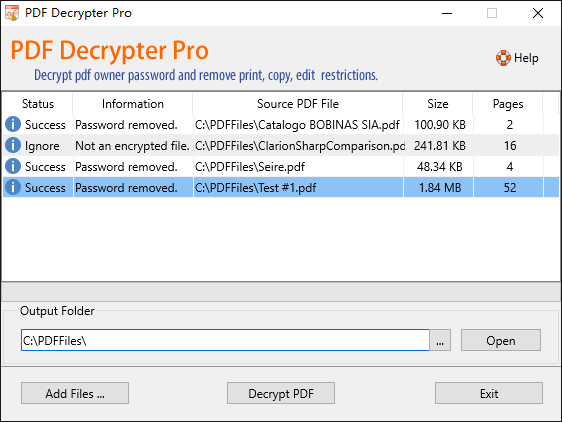
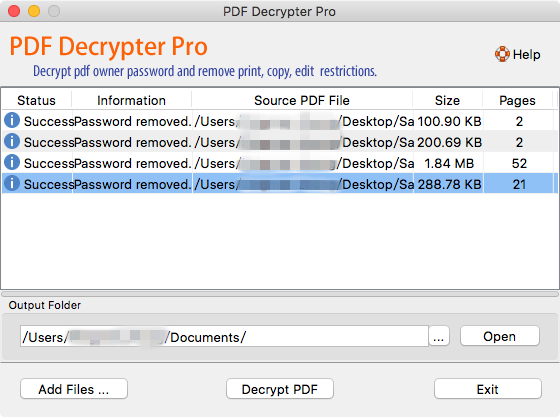
- Batch processing — add unlimited files and decrypt them in one pass.
- Drag-and-drop files directly into the window.
- Automatically skips files that are not encrypted.
- Right-click a processed file to open it or jump to its folder.
- No Adobe Acrobat, no Reader, no external libraries required.
- No adware, no spyware, no bundled offers, no background data collection.
- Windows 11 / 10 / 8 / 7 (32-bit & 64-bit) and macOS 10.8 or later.
See it in action
Important: PDF Decrypter Pro is intended for legitimate use only — to remove passwords and restrictions from PDF files you created, own, or are authorized to modify. It does not brute-force unknown passwords and is not intended to access copyrighted material you do not have rights to. See our Terms of Use.
Try PDF Decrypter Pro for free
Download the free trial for Windows or macOS and process your own PDFs in minutes.